

Twelve things marked “urgent.” Maybe two of them actually are.
Here’s the filter that separates the real fires from the fake ones — in under ten seconds.

Your inbox has four “urgent” flags, your manager just added a fifth thing, and somehow none of it feels optional. Here’s how to prioritize tasks when everything feels urgent: stop trusting the label and start checking the task against what actually happens if it waits. Most of what’s marked urgent isn’t — and your brain is wired to fall for the label anyway.
When everything feels urgent, the fastest fix is a short filter, not a full-blown system. Ask three questions: who’s actually affected if this waits, what happens if I delay it 24 hours, and does it move something I actually care about forward. Anything that fails all three isn’t urgent — it just feels that way. For real priorities, sort them into a simple grid of urgent versus important, protect time for the important-but-not-urgent work first, and either delegate or defer everything else with an actual deadline attached.
Key Takeaways
Urgency has its own psychological pull, completely separate from a task’s actual importance — researchers call this the mere urgency effect.
A 3-question filter can sort most tasks in under 10 seconds without needing a full matrix every time.
The Eisenhower Matrix still works, but only if you actually schedule the important-but-not-urgent quadrant before your day fills up.
When you can’t delegate, “defer with a real deadline” replaces delegation as your release valve.
Saying no to a request politely is often faster and less costly than quietly resenting having said yes.
How to Prioritize Tasks When Everything Feels Urgent: Start Here
Here’s the uncomfortable part first: most of what feels urgent right now isn’t, and no amount of better time management fixes that on its own, because the problem isn’t your schedule — it’s how urgency gets assigned in the first place. A request marked “ASAP” from a colleague, a notification with a red badge, a deadline someone mentioned in passing three weeks ago that’s suddenly “due today” — none of these are sorted by actual consequence. They’re sorted by whoever asked loudest or most recently.
Take a fairly typical Tuesday: a client emails asking for a status update “whenever you get a chance,” a teammate Slacks “quick question, sorry to bug you” about something that’s genuinely not quick, and your calendar has a report due Friday that you haven’t started. All three can feel equally pressing in the moment. Only one of them has a real, measurable consequence if it slips by a day. Learning how to prioritize tasks when everything feels urgent starts with separating the feeling of pressure from the actual cost of waiting — and that separation is a skill, not an instinct most people are born with.


The rest of this piece walks through why your brain keeps falling for false urgency, a simple grid for sorting what’s actually worth your attention, a fast filter for the moments you don’t have time for a full grid, and what to do with the pile of things that are urgent but genuinely not yours to carry.
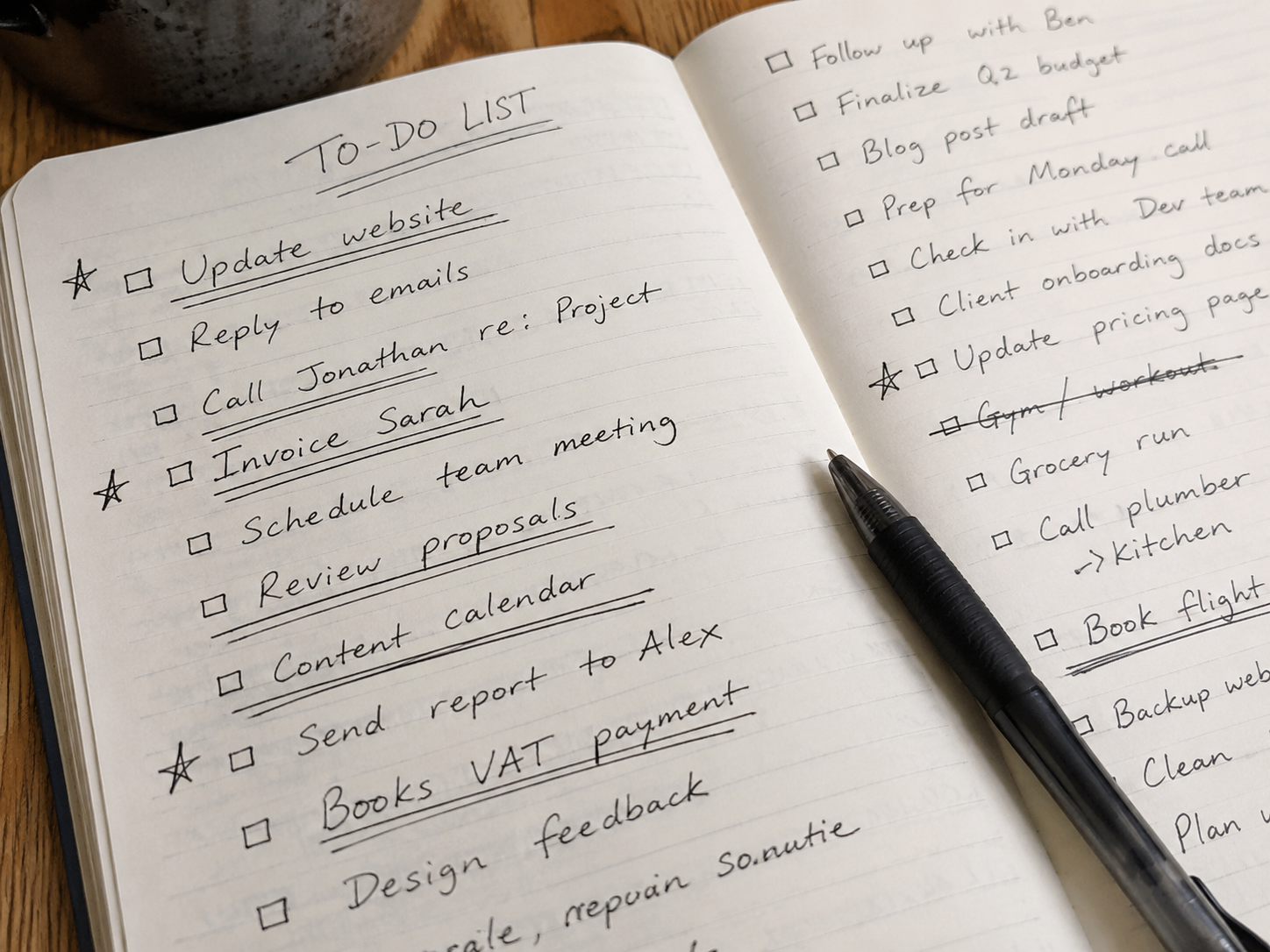
Here’s a small test you can run right now on whatever’s making you feel behind today. Pull up your current list and count how many items are there because someone else attached a timestamp to them, versus how many are there because you decided they mattered. Most people find the ratio is heavily skewed toward the first category — which means most of the day is being scheduled by other people’s urgency, not by your own priorities. That’s not a character flaw. It’s just what happens by default when nothing is filtering the requests before they land on your plate.
The Mere Urgency Effect: Why Your Brain Chooses Urgent Over Important
There’s a name for this pattern, and it’s backed by actual experiments, not just observation. Researchers Meng Zhu, Yang Yang, and Christopher Hsee documented what they call the mere urgency effect in a 2018 study published in the Journal of Consumer Research: across five experiments, people repeatedly chose to complete lower-value tasks over higher-value ones, simply because the lower-value task had a shorter completion window attached. The urgency itself had its own pull, independent of whether the task actually mattered.

That’s a strange thing to sit with. It means you can know, rationally, that finishing the client proposal matters more than clearing your inbox — and still clear the inbox first, because the inbox has a ticking, visible deadline and the proposal doesn’t. Your brain isn’t being lazy or undisciplined here. It’s responding to a completion window the way it’s wired to, regardless of the size of the payoff on either side.
📝 Note
Notice how often “urgent” tasks come with an artificial expiration — a badge, a countdown, a subject line that says “today.” Real consequences rarely announce themselves that loudly. That’s usually your first clue something is manufactured urgency, not actual urgency.
Knowing this bias exists doesn’t make it disappear, but it does give you something to check yourself against. The next time a task’s urgency feels overwhelming, it’s worth asking whether that feeling is coming from the task’s real stakes or from its packaging.
You can see the effect play out almost every day in a shared inbox. A message titled “quick favor — need by end of day” gets answered before a message titled “thoughts on the Q3 direction,” even when the second one will matter far more in six months. The favor has a visible countdown. The strategic question doesn’t. Nothing about the second message is less important — it’s just wearing a less urgent-looking outfit, and your attention goes where the countdown is.
It’s also worth saying plainly: a lot of the urgency in your day isn’t accidental. Red badges, “seen” receipts, countdown timers on app notifications — these are designed to trigger exactly the response the mere urgency effect predicts, regardless of whether the underlying message deserves that response. That doesn’t mean every notification is manipulative. It does mean the design of most tools you use every day is actively working against your ability to tell real urgency from manufactured urgency, which is one more reason a deliberate filter matters more than willpower alone.

“People behave as if pursuing an urgent task has its own appeal — independent of what it actually gets them.”
— summarizing findings from Zhu, Yang & Hsee’s 2018 mere urgency effect study
The Eisenhower Matrix, Rebuilt for a Real Workday
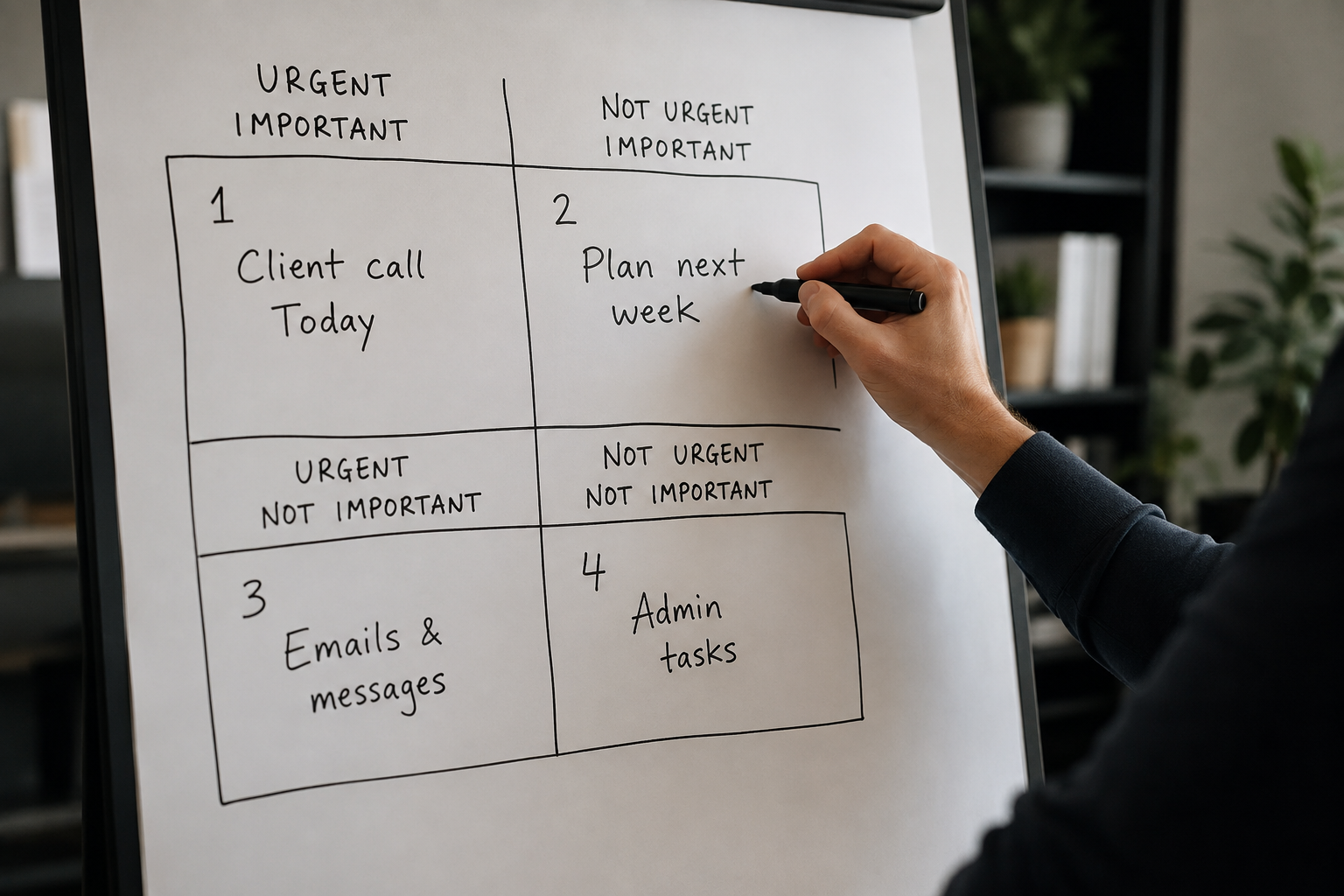
The Eisenhower Matrix has been around for decades because the underlying idea is simple and durable: sort tasks by importance and urgency, not urgency alone. President Eisenhower is credited with the line that “the urgent are not important, and the important are never urgent” — and while that’s an overstatement in practice, the four-box sort behind it is genuinely useful once you actually use it instead of just nodding at the concept.
| Quadrant | Example | Action |
|---|---|---|
| Urgent + Important | A client escalation with a same-day deadline | Do it now |
| Important, Not Urgent | Strategy work, skill-building, planning ahead | Schedule it first, protect the time |
| Urgent, Not Important | Most “quick question” messages, some meetings | Delegate or defer with a deadline |
| Neither | Reorganizing inbox folders, most social media checks | Cut it, or batch it into unused time |
The part most people skip is the second row. It’s easy to agree that important-but-not-urgent work matters. It’s much harder to actually put it on the calendar before the urgent-but-unimportant requests fill every open hour. If that row stays unscheduled, it will always lose to whatever’s flashing right now — which is exactly the mere urgency effect playing out in your calendar instead of a lab experiment.
Try sorting your actual list right now, not a hypothetical one. Take the five things currently open in your head or your inbox and place each one in a box. Most people find the majority land in “urgent, not important” — and that’s exactly where the leak is happening. The fix isn’t working faster through that box. It’s shrinking it, by delegating what can be handed off and deferring the rest with a specific time attached, so the important-but-not-urgent box actually gets its turn before the day ends.
From Get More Guide
The ADHD Productivity System
If everything genuinely feels urgent all the time, time blindness might be part of the picture. This guide covers executive function, beating time blindness, and building a prioritization system that matches how your brain actually works — not generic advice that assumes a neurotypical baseline.
Get The ADHD Productivity System →The 3-Question Filter: Sorting a Task in Under 10 Seconds
The Eisenhower grid is great for planning your week. It’s too slow for the fortieth interruption of the day. For those moments, you need something you can run almost instantly, without opening a notebook or a matrix template.
Who is actually affected if this waits? If the honest answer is “no one but the person who wants it done” — that’s a data point, not a mandate.
What actually happens if I delay this 24 hours? If the answer is “genuinely nothing,” it’s not urgent, no matter how it was phrased.
Does this move something I actually care about forward? If a task fails all three questions, it goes in the flex/later pile — full stop, no guilt required.
Run this filter enough times and it stops feeling like a formal exercise and starts feeling like a reflex — the same way checking a price tag becomes automatic once you’ve done it a hundred times. The goal isn’t perfect accuracy every time. It’s catching the majority of false urgency before it hijacks your morning.
Run it against a real example: a coworker messages asking you to review a slide deck “before the 2pm call.” Who’s affected if it waits? Just them, and only if they haven’t prepped a backup plan. What happens if you delay 24 hours? The call is today, so this one actually has a real window — it passes question two. Does it move something you care about forward? Marginally, if the relationship matters to you. Two out of three genuine answers means it’s a real, if minor, priority — worth 10 focused minutes now rather than a grudging skim later.

What to Do With the “Urgent But Not Important” Pile
This quadrant is where most people get stuck, because “delegate it” is the textbook answer and it doesn’t always apply. Not everyone has a team. Not every task can be handed off cleanly. So here’s the more useful version: delegate when you genuinely can, and defer with a real deadline when you can’t. Either way, the goal is the same — get the task off your active attention without pretending it doesn’t exist.
Deferring isn’t the same as ignoring. “I can look at this Thursday afternoon” is a real answer that closes the loop for the other person, even if it’s not the answer they wanted in the moment. Most requesters aren’t actually testing whether you’ll drop everything — they’re testing whether you’ll respond at all. A clear, specific deferral usually satisfies that far better than an instant but half-attentive response squeezed in between two other things.
⚠️ Warning
Saying yes instantly to avoid an awkward moment usually costs more later than saying no politely up front. A rushed yes tends to produce worse work and a longer, more uncomfortable conversation when it falls through.
A workable script: “I want to give this the attention it needs — I can get to it by [specific time]. If it’s more urgent than that, let me know what should move instead.” That last sentence matters more than it looks. It hands the trade-off back to the person making the request, instead of you silently absorbing it.
For genuinely delegatable tasks, be specific about what you’re handing off and why — “can you take the first pass on this, since you know the account better than I do” lands very differently than a vague forward with no context. Vague delegation tends to bounce back to you within the hour, usually with more questions than the task started with, which erases whatever time you thought you’d saved.
How to Prioritize Tasks When Everything Feels Urgent and You Work Alone
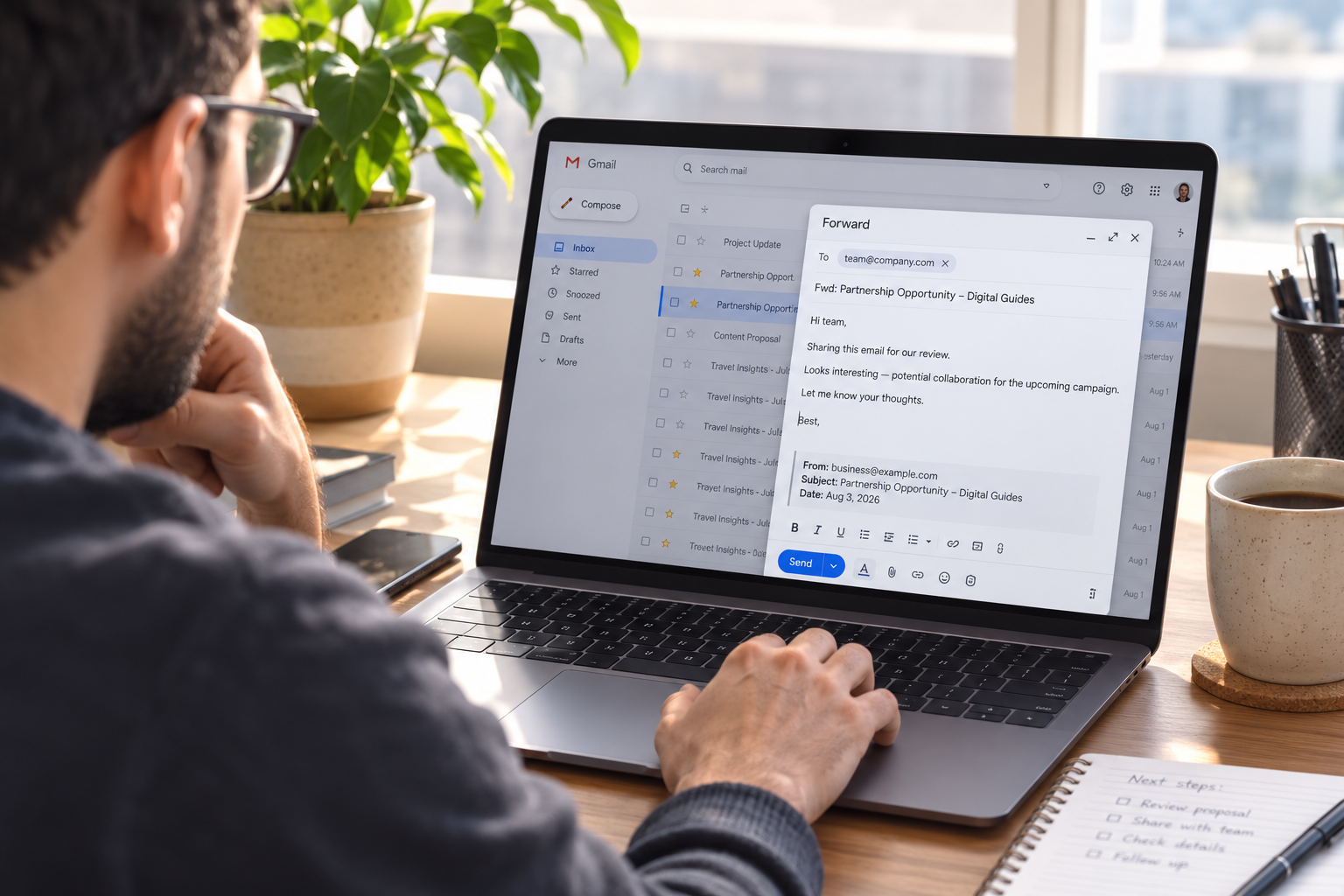
Freelancers, solo founders, and anyone without a team hit a version of this problem that the standard advice doesn’t cover well: there’s no one to delegate to. Every quadrant of the matrix eventually lands back on you. In that situation, the goal shifts from “who else can do this” to “what can I remove, shrink, or push without real consequence.”
This is also where outsourcing tools quietly help even solo operators — a scheduling link instead of back-and-forth emails, a template response for the fifth time someone asks the same onboarding question, an automation that files receipts instead of you doing it manually every Friday. None of this is delegating to a person, but it’s the same principle: removing small recurring urgency from your own plate so it stops competing with the one or two things that actually need your judgment.
There’s no manager assigning priority here, which sounds like freedom until you realize it also means nothing filters incoming requests before they reach you directly. Every client, every collaborator, every invoice question arrives at full volume, all aimed straight at one inbox. Three moves tend to help most here. First, batch the urgent-but-small stuff into one or two windows a day instead of reacting to each item as it arrives — a single 30-minute triage block at 11am and another at 4pm usually clears more than constant piecemeal responses. Second, build a standard response for low-stakes requests (“got it, I’ll have this back to you by Thursday”) so you’re not composing a fresh negotiation every single time. Third, protect one block a day — even 45 minutes — that nothing is allowed to touch, reserved for the one thing that actually grows the business or the work, not just keeps it running.
3
Questions in the fast filter
2-3
Fixed triage check-ins a day, not constant re-sorting
45 min
Minimum daily block protected for growth work, not maintenance
None of this requires new software or a complicated system. It requires deciding, in advance, which hours belong to the business and which belong to whoever emails loudest — because without that decision made ahead of time, the loudest voice wins by default, every single day.
“Keeping the work running and growing the work are two different jobs. Without a team, it’s easy to spend every hour on the first one.”

Common Mistakes People Make When Prioritizing Under Pressure
Here’s what tends to go wrong even for people who know the theory behind urgent versus important. Understanding the Eisenhower Matrix in the abstract and actually applying it under pressure are two very different skills — most of these mistakes happen in the gap between the two.
Trusting the label instead of checking the consequence. “Urgent” in a subject line is a claim, not a fact. Run the 3-question filter before accepting it at face value.
Never scheduling the important-but-not-urgent quadrant. If it’s not on the calendar, it will always lose to whatever’s loudest that day.
Saying yes instantly to avoid discomfort. A rushed commitment often produces worse work and a harder conversation later than a clear, specific “not right now.”
Re-litigating priorities all day instead of at set checkpoints. Constantly re-sorting your list eats the same hours it’s meant to protect. Two or three fixed check-ins a day beat continuous re-evaluation.
Confusing “fast” with “important.” Quick tasks feel satisfying to clear, which is exactly why they crowd out slower, higher-value work if you let completion speed set your order.
FAQ
Urgent isn’t a fact. It’s a claim someone made.
Check it before you rearrange your entire day around it.
Learning how to prioritize tasks when everything feels urgent isn’t about becoming immune to pressure — it’s about pausing long enough to ask whether the pressure is real. Run the filter, protect the important-but-not-urgent hour before your day fills up, and let the fake fires burn themselves out without you. Most of them will, and the ones that don’t were worth your attention all along.
Keep Reading
Related reading: The Two-Minute Rule for clearing small tasks fast, Bullet Journal for Beginners for a simple daily-priority layout, and How to Build a Morning Routine You’ll Still Follow in March for starting the day before urgency floods in. Browse more in Productivity.
This article discusses general productivity and behavioral research and is not workplace, legal, or clinical advice. If chronic overwhelm is affecting your wellbeing, consider speaking with a manager, HR resource, or healthcare provider.