



You blocked out your whole day. Color-coded it, even. By 10am, it was already a lie. This is why time blocking doesn’t work for most people who try it: not because they lack discipline, but because the system was broken before the day even started. Here’s what actually causes the collapse — and the two-part fix that keeps a schedule standing past lunch.
Time blocking fails for two predictable reasons: task estimates are almost always optimistic, and a fully-packed calendar has no room to absorb the unexpected. When one block runs long, every block after it does too. The fix isn’t more discipline — it’s structure. Split your day into anchor blocks (protected, fixed commitments) and flex blocks (a cushion for overflow and small tasks), then match your hardest work to your highest-energy hours. That’s what keeps one bad hour from wrecking the whole day.
Key Takeaways
Time blocking usually breaks because of bad time estimates, not bad intentions — a bias called the planning fallacy makes almost everyone plan for their best-case day.
A single overrun block can cascade through your entire schedule if there’s no buffer built in anywhere.
Switching between unrelated tasks carries a real, measurable cognitive cost, even when the switch feels instant.
Splitting your day into anchor blocks and flex blocks gives your schedule room to bend instead of snapping.
Matching your hardest task to your natural high-energy hours matters more than what the clock says it “should” be.
Why Time Blocking Doesn’t Work for Most People
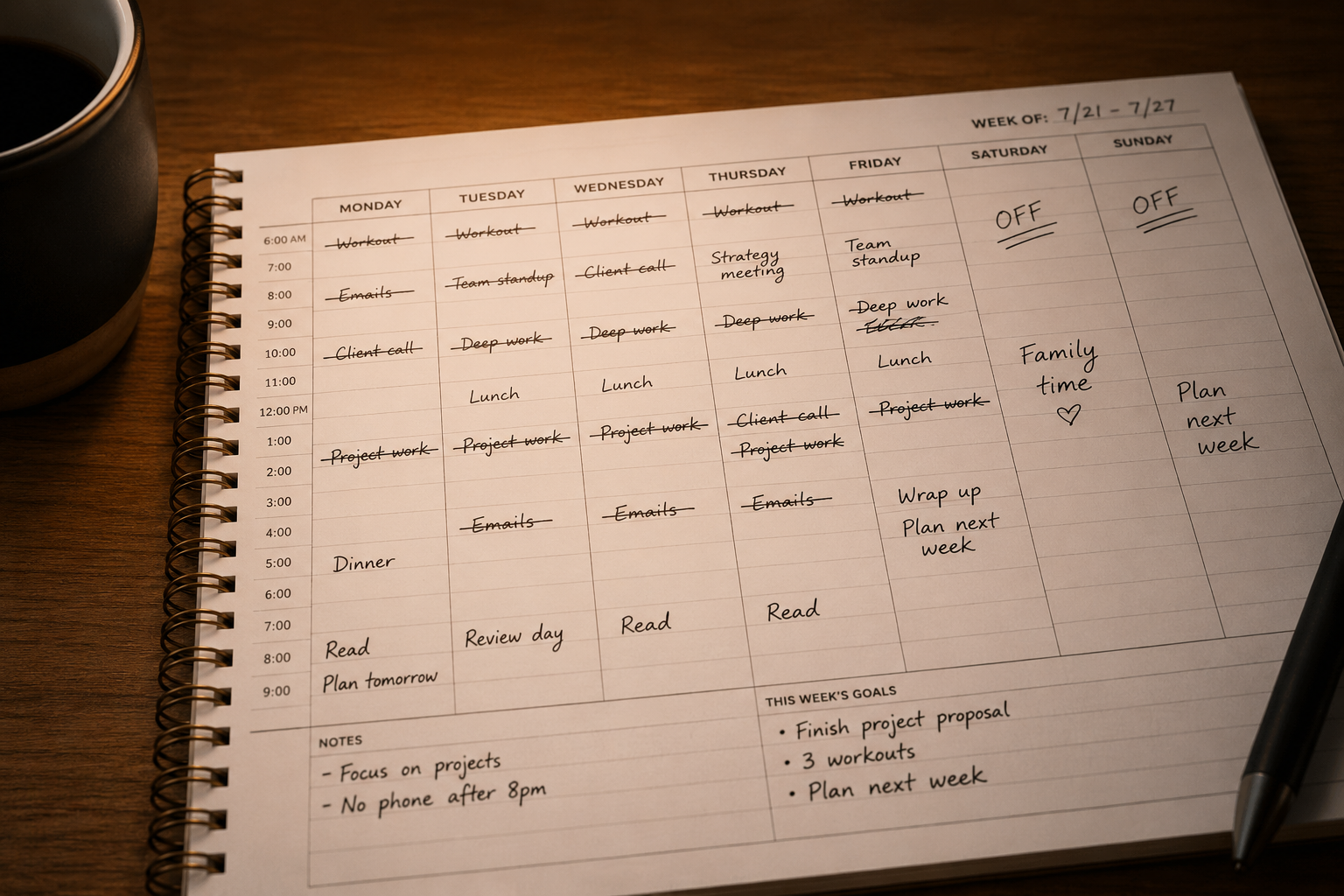
On paper, time blocking looks unbeatable. Every hour has a job. There’s no 11am moment where you stare at your task list wondering what to do next, because you already decided on Sunday. Most advice about time blocking stops there, as if the hard part is deciding what goes in each box. It isn’t. The hard part is that the boxes almost never hold what you put in them.
Here’s the pattern, and you’ve probably lived it more than once. Your 9am block runs to 9:40. Your 10am meeting doesn’t move, so the leftover 20 minutes of “deep work” gets crammed in wherever it fits — which is nowhere, so it gets skipped. By lunch, the afternoon has been silently renegotiated three times, and you haven’t consciously decided any of it. You just reacted, block by block, until the plan and the day stopped resembling each other.


Most people conclude from this that they’re bad at sticking to schedules. That’s the wrong diagnosis. Time blocking doesn’t work when it’s treated as a discipline problem — “just follow the calendar” — when the actual problem is architectural. A schedule built with zero margin for anything to go even slightly wrong isn’t a discipline test. It’s a system designed to fail on contact with a normal day. Two things build that fragility in from the start: how you estimate the time each task takes, and how much cushion you leave between blocks. We’ll take them one at a time.
Take a fairly ordinary Tuesday: a marketing manager blocks 9–9:30 for a client email, 9:30–10:30 for a campaign brief, and 10:30–11 for a quick check-in with a designer. Nothing unusual, nothing overly ambitious. But the client email needs a follow-up question answered before she can finish it, the brief takes 75 minutes instead of 60 because a stakeholder chimes in with new requirements, and the designer check-in gets squeezed into 10 minutes of half-attention. None of these individually looks like a disaster. Stacked together, they’re the entire reason the calendar stopped matching the day by 10:40am — and she’ll spend the rest of the morning quietly re-deciding what to do next instead of doing it.
The Planning Fallacy: Why Every Block Runs Long
Here’s a small experiment you’ve probably already run without meaning to. You block 30 minutes for email. It takes 45. Tomorrow, you block 30 minutes for email again. It’s not that you didn’t learn — it’s that estimating your own future task time triggers a well-documented bias psychologists call the planning fallacy, first described by Daniel Kahneman and Amos Tversky. It’s the tendency to underestimate how long something will take, even when you have plenty of past evidence showing exactly how long it actually takes.


The strange part isn’t that we’re bad at estimating in general — it’s that we’re specifically bad at estimating our own future performance, while being reasonably accurate when we guess how long a task will take someone else. When you imagine yourself doing the email block tomorrow, you picture the best-case version: no interruptions, no message that needs a longer reply than expected, no second cup of coffee. That version of tomorrow rarely shows up. As The Decision Lab explains, people tend to hold onto optimistic predictions even while acknowledging that similar tasks have taken longer before — which is exactly why the 30-minute email block keeps overrunning no matter how many times it’s happened.
💡 Tip
Take your gut-instinct time estimate and add 25–30% before you block it. If your honest guess is 30 minutes, block 40. It feels wasteful the first week. It’s usually the difference between a schedule that survives Tuesday and one that doesn’t.
This isn’t about being pessimistic. It’s about building your calendar around the version of yourself that actually shows up, not the idealized one who never gets distracted. Once your estimates get more honest, the second problem — zero margin between blocks — becomes a lot easier to fix, because you’re no longer fighting both problems at once.


Here’s a useful gut check. If you’ve blocked 20 minutes for a recurring task five times in a row, and it’s taken closer to 35 minutes each time, you already have five data points proving the estimate is wrong. Most people keep the 20-minute block anyway, because in the moment of planning, this time feels different — this time there won’t be a follow-up question, this time nobody will chime in. Trust the five data points over the feeling. Your history with a task is a far better predictor than your mood while scheduling it.

The Domino Effect: How One Broken Block Wrecks Your Whole Day
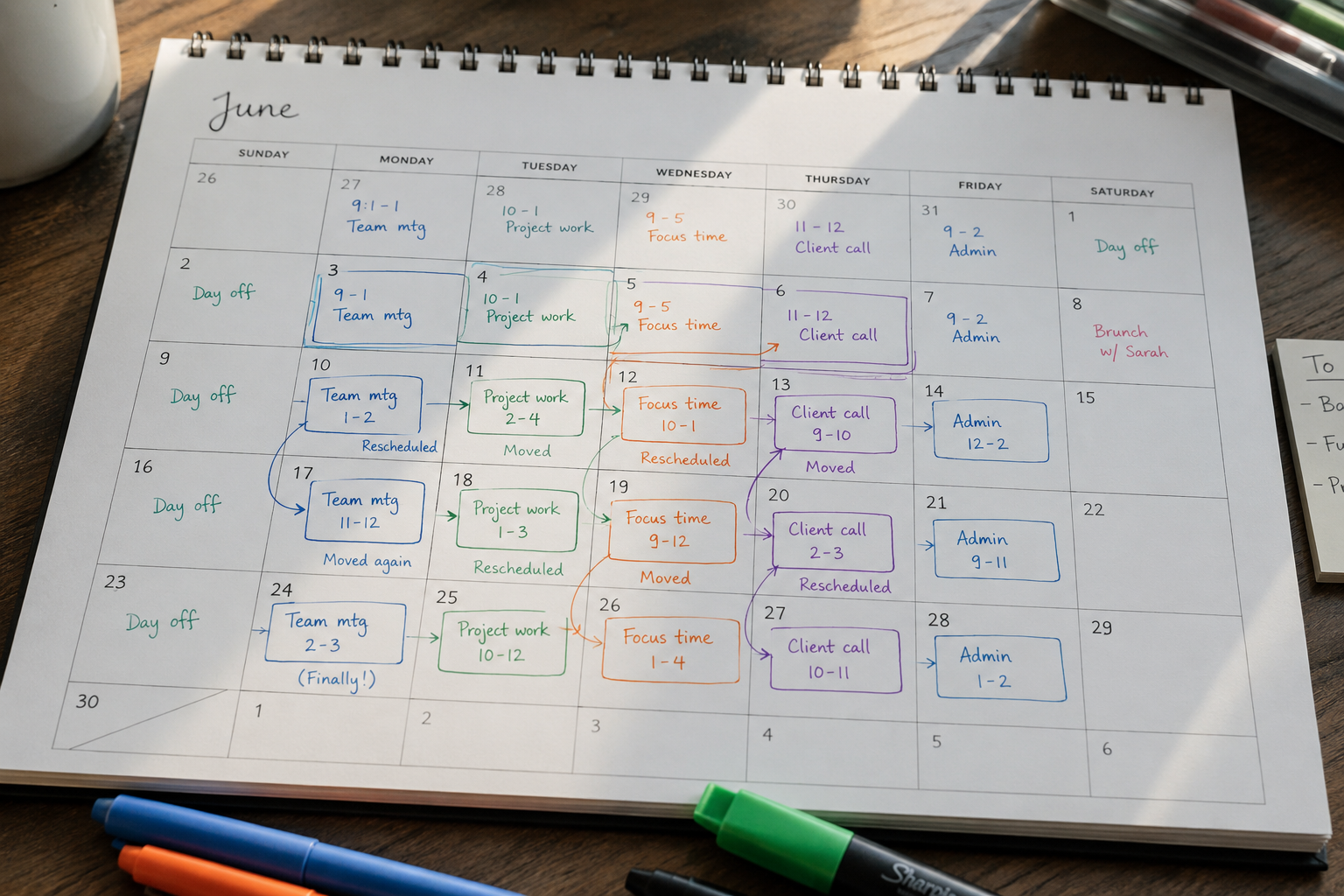
Bad estimates are only half the story. The other half is what happens when a block runs long and there’s nowhere for that overflow to go. Picture six blocks scheduled edge to edge, no gaps, from 9am to 4pm. A single 15-minute overrun in block one doesn’t cost you 15 minutes. It costs you five separate renegotiations, because every block after it now has to shift, shrink, or get cut entirely — and you’re the one making that call in real time, five separate times, instead of once.
That constant renegotiating has a cost of its own. Every time you decide “do I shrink this block or skip the next one,” you’re spending mental energy that was supposed to go toward the actual work. By 2pm, you’re not tired from the tasks — you’re tired from the fifteen small scheduling decisions you had to make just to keep the day upright. This is the domino effect, and it’s the single biggest reason a time-blocked day can feel exhausting even on a day where you didn’t actually do that much.
The fix isn’t “estimate perfectly” — nobody does. It’s building in the assumption that something will run over, so the plan doesn’t need CPR every time it does.
Run the numbers on a normal day: six blocks, zero gaps, one 15-minute overrun in block one. If you shift everything after it by 15 minutes, block six either runs 15 minutes late into whatever comes next — dinner, a pickup, a call — or gets cut short by 15 minutes to protect the rest of the day. Either way, you’re the one absorbing the cost, usually at the end of the day when you have the least patience left for it. A single buffer block of 15–20 minutes somewhere in the middle of the day can catch that overrun before it reaches block six at all.
“A schedule with zero margin isn’t organized. It’s just fragile in a way that looks organized.”
The Hidden Tax of Switching Between Blocks
There’s a third cost that rarely gets talked about: the tax you pay every time a block switches you from one type of thinking to another. Cognitive scientists who study task switching — including peer-reviewed multitasking research out of the University of Tübingen — have repeatedly found that moving from one task to a different one carries a measurable time cost and a higher error rate, even when the switch feels instantaneous to the person making it. Your brain doesn’t clear the previous task the moment you close the tab.
This matters for time blocking specifically because most people design their day by category, not by cognitive load. A block for “creative writing” sits right next to a block for “invoices,” which sits next to “client call.” Each one demands a genuinely different mode of thinking, and your brain is still partly loading the previous mode when the next block starts. That’s why a schedule that looks perfectly efficient on paper — no gaps, no wasted time — can feel mentally sluggish in practice. You’re paying a switching cost you never scheduled for.
The practical fix is grouping blocks by cognitive mode, not just by category. Two “creative” tasks back to back, even if they’re unrelated projects, tend to switch more cheaply than a creative task followed immediately by a reactive one like Slack triage or a phone call. If your calendar alternates constantly between focused and reactive work, you’re paying the switching tax over and over throughout the day — often without realizing that’s the actual source of the fatigue, rather than the workload itself.
✨ Quick Win
If two back-to-back blocks require a different kind of attention — creative versus administrative, focused versus reactive — leave at least a 5–10 minute gap between them. That’s usually enough to let your brain fully exit the first task before it’s asked to enter the second.

From Get More Guide
The Focus Engine
If switching costs and scattered attention are the real problem behind your broken schedule, this guide walks through a science-backed framework for training deep focus, managing your energy, and actually entering flow state on demand — plus a 30-day plan to put it into practice.
Get The Focus Engine →The Two-Tier Fix: Anchor Blocks vs. Flex Blocks
Here’s the structural fix, and it’s simpler than most productivity systems make it sound. Split your day into two tiers instead of one flat list of equally-important blocks. Anchor blocks are the handful of things that truly cannot move: your one meeting, your single most important task, a hard deadline. Flex blocks are everything else — email, small admin, follow-ups, the stuff that needs to happen today but doesn’t care exactly when.
The reason this works isn’t magic — it’s that only one tier is fragile by design, and you know which one. When something runs long, it eats into flex time, which was built to absorb exactly that. Your anchors stay protected. You stop renegotiating your whole day and start renegotiating a queue, which is a much smaller, calmer decision.
| Anchor Blocks | Flex Blocks | |
|---|---|---|
| What goes here | Meetings, your single most important task, hard deadlines | Email, admin, follow-ups, “whatever’s next” |
| Share of the day | 40–50% | 50–60% |
| When disrupted | You reschedule around it deliberately | It absorbs the disruption; nothing else moves |
| How it’s protected | Calendar block + do-not-disturb | A running list, worked in order, no fixed start time |
Building your first two-tier day takes about ten minutes on paper:
- List every fixed commitment for the day — meetings, calls, hard deadlines. That’s your anchor list.
- Pick one task that matters most and isn’t fixed. Give it its own anchor block in your highest-energy hour.
- Everything else goes into a single flex queue, worked in priority order whenever there’s open time.
- Add one 15–20 minute buffer block somewhere in the middle of the day, before you think you’ll need it.
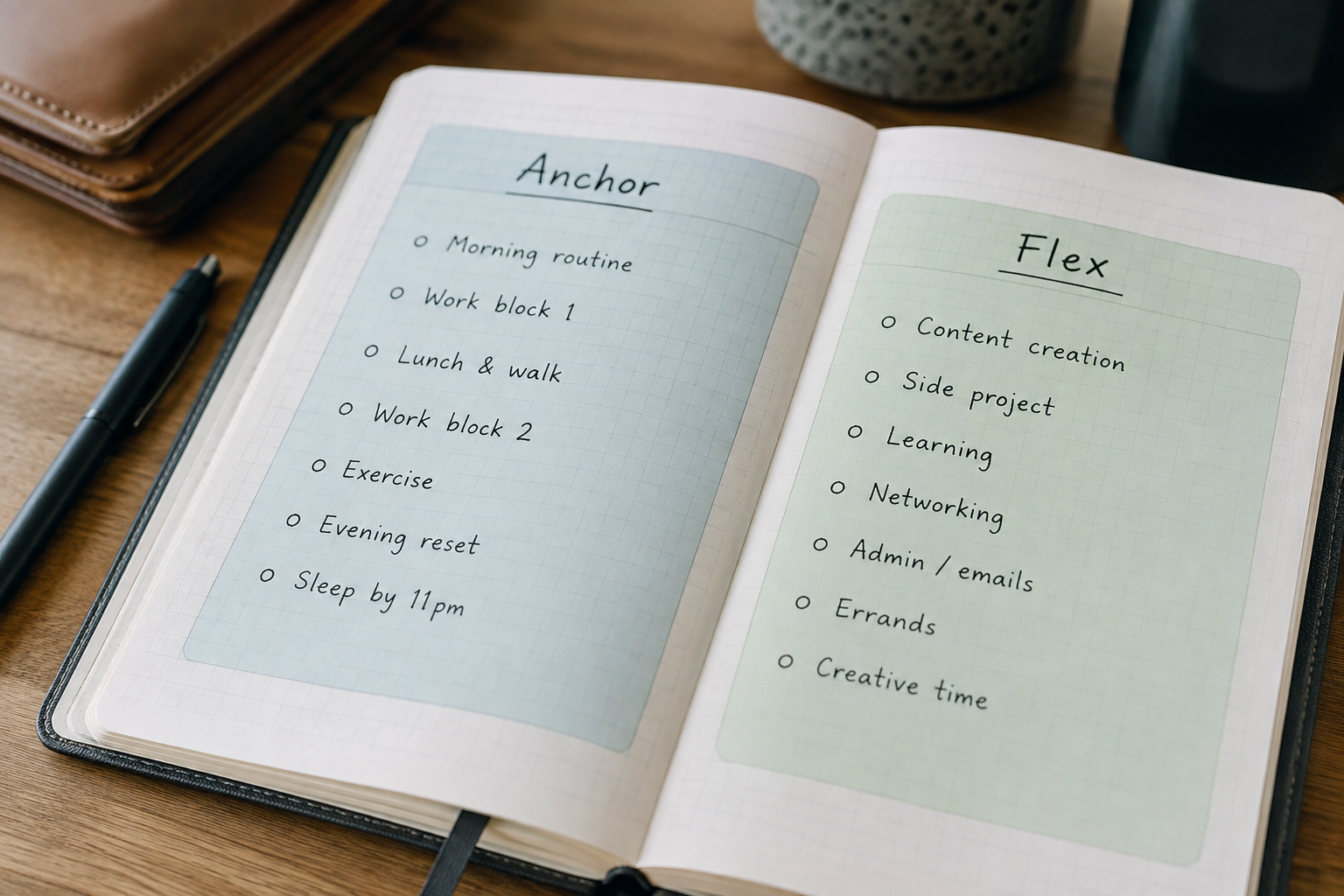
The exact ratio shifts depending on your job. Someone in back-to-back client meetings might only manage one anchor block a day and spend the rest of their hours in flex mode, catching up between calls. Someone doing mostly independent project work might flip it — two or three anchor blocks protecting deep focus, with a short flex window at the end of the day for admin. Neither version is wrong. What matters is that you’ve actually decided which hours are protected and which ones are allowed to absorb the mess, instead of treating every hour as equally fragile.
2-4
Anchor blocks most days actually need
25–30%
Buffer to add to your gut-instinct time estimate
5–10 min
Gap needed between two very different task types
Why Time Blocking Doesn’t Work Without Matching Your Energy
There’s one more reason why time blocking doesn’t work even for people who’ve fixed their estimates and added buffer: they’re still scheduling by clock time instead of energy. An 8am deep-work block looks identical on a calendar whether you’re sharp at 8am or don’t fully wake up until 9:30. The block exists. The focus doesn’t. You sit there for 60 minutes producing far less than the same task would take you in 25 focused minutes later in the day.
Energy isn’t fixed and it isn’t the same for everyone — some people are sharpest first thing, others don’t hit their stride until midafternoon. What matters is that you actually know your own pattern instead of copying someone else’s “5am club” advice. For three days, jot down your focus level hourly on a simple 1–5 scale. You’ll usually find one or two hours where the number is consistently a 4 or 5. That’s where your anchor block for the hardest task belongs — not wherever a generic template told you deep work “should” go.
❗ Important
If your hardest task is consistently scheduled during your lowest-energy hour “because that’s when it’s free,” you haven’t actually blocked time for it — you’ve just reserved a slot where it’s unlikely to happen.
Some days your peak hour is already claimed by a recurring meeting you can’t move, and that’s fine — the goal isn’t perfection, it’s making the trade-off consciously instead of by accident. On those days, protect your second-best hour for the anchor task instead of defaulting to whatever’s left over at the end of the day, when both your energy and your patience are lowest.

Common Mistakes People Make With Time Blocking
Even people who’ve been time blocking for years tend to repeat a handful of specific mistakes. Here’s what actually trips people up, and what to do instead.
Blocking your ideal day instead of your typical one. Planning as if today has zero meetings, zero interruptions, and a laptop that never lags. Build your week around what actually tends to happen, not the version where nothing goes wrong.
Making every block the same length. A 30-minute block works for answering one email. It doesn’t work for drafting a proposal. Size the block to the task, not to a tidy-looking calendar grid.
Zero-margin scheduling. Back-to-back blocks with no buffer mean one overrun cascades through the entire day. Build the buffer in before you need it, not after the third bad day this week.
Treating a broken block as a personal failure. One overrun doesn’t mean the whole day is ruined — it means the next block needs adjusting. Abandoning the entire plan over one bad block is what actually wastes the day.
Ignoring energy and just filling hours. Scheduling your hardest task for whatever hour happens to be open on the calendar, regardless of whether you’re actually sharp then, guarantees the block exists without the focus to match it.
FAQ
Your schedule doesn’t need more willpower. It needs less fragility.
Anchor blocks, honest estimates, and one energy-matched hour beat a perfectly color-coded calendar that snaps by 10am.
Time blocking doesn’t work when it’s built for a day that never actually happens. Split your calendar into anchor and flex blocks, add real buffer, and put your hardest work where your energy actually is — and the same method that’s failed you for months starts holding up by Wednesday afternoon, not just Monday morning.
Keep Reading
Related reading: The Two-Minute Rule, How to Build a Morning Routine You’ll Still Follow in March, and Bullet Journal for Beginners for a lower-tech planning layout. Browse more in Productivity.
This article discusses general productivity research and is not medical or clinical advice. If you suspect ADHD or another attention-related condition is affecting your work, consider speaking with a qualified healthcare provider.